About Hotel Haven Solitaire
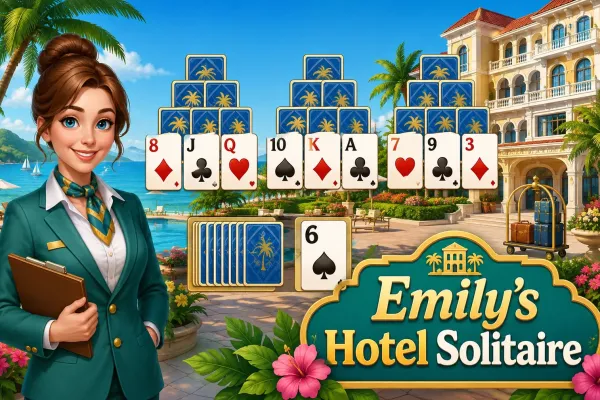
Hotel Haven Solitaire is a Tri-Peaks-style solitaire card game built around clearing a three-peak tableau. Select face-up cards that are exactly one rank above or below the active waste card to remove them from the board. Clear each tableau while managing the stock, building combos, and earning rewards that can be used to renovate the hotel.
The primary objective is to clear every card from the Tri-Peaks tableau.
Players can also pursue higher scores, longer combos, and up to three stars per completed level. Winning levels awards coins and stars that contribute to the hotel's renovation progression.
Hotel Haven Solitaire combines Tri-Peaks card matching with a hotel renovation progression system. Each level presents a three-peak tableau containing face-up and face-down cards. The active card in the WASTE pile determines which tableau cards can be removed: a playable card must be exactly one rank higher or one rank lower than the waste card. Aces connect only with 2, so there is no Ace-to-King wrap-around.
Removing cards in succession without drawing from the STOCK builds a combo. Higher combos increase the points earned from subsequent card removals, making careful sequencing important. Clearing cards can also reveal previously covered cards and open new moves. If no useful move is available, the STOCK can be drawn to change the active waste card.
The game includes solitaire games for players looking for more card-based challenges and strategy games for other planning-focused browser games. Players interested in the broader hotel progression can also explore simulation games. For additional puzzle-oriented gameplay, puzzle games provides another relevant category.
Completing levels earns coins and stars, which can be spent in the Hotel screen to renovate rooms and unlock additional areas. Progress and active games are saved automatically on the device.
How to Play
- Select PLAY to start the current level, or use CONTINUE to resume a saved game when an active game exists.
- The level begins with a Tri-Peaks tableau and an active card in the WASTE pile.
- Select a face-up tableau card that is exactly one rank higher or one rank lower than the active WASTE card.
- The selected card is removed and becomes the new active WASTE card.
- Continue selecting valid cards to build a combo. Consecutive tableau-card removals increase the combo multiplier.
- When no useful tableau card is available, select the STOCK pile to draw another card into the WASTE.
- Clearing cards can uncover face-down cards, making additional cards available for play.
- Use HINT, UNDO, or the available SHUFFLE when needed. Shuffle has one use per level.
- Clear all tableau cards to complete the level.
- If the stock is empty and there are no playable tableau cards, the level ends with No More Moves.
Winning & Losing Conditions
Winning Condition
The player wins by clearing every card from the tableau. A level-completion bonus of 500 points is then added to the score.
Losing Condition
The player loses when the STOCK is empty and no playable tableau card remains. The game displays a No More Moves screen with an option to try the level again.
Features
- Browser-based Tri-Peaks solitaire gameplay
- 40 levels
- 5 themed chapters
- Three-peak card tableau
- Face-up and face-down cards
- Stock and Waste piles
- Combo scoring
- Three-star performance rating
- Score tracking and best scores
- Hint system
- Undo system
- One shuffle per level
- Hotel renovation progression
- Coins and stars earned from completed levels
- Multiple hotel areas to renovate
- Automatic progress and active-game saving
- Pause menu
- Restart level option
- Fullscreen option
- Sound effects
- Vibration setting
- Responsive interface
- Mouse/click interaction
- Touch/tap interaction
Tips & Strategies
- Plan around the WASTE card: Before removing a playable card, check whether another available card can extend the sequence and preserve more options.
- Build combos before drawing: Consecutive tableau removals increase the combo bonus, while drawing from the STOCK resets the combo to zero.
- Prioritize cards that uncover others: Removing a card can reveal covered cards, so moves that open additional tableau positions can create more opportunities.
- Save the STOCK when possible: Drawing changes the active WASTE card and consumes one stock card, so avoid drawing when a valid tableau move is available.
- Use the SHUFFLE carefully: Each level provides only one shuffle, and it is intended to rearrange remaining face-up cards that are currently unplayable.
- Use UNDO strategically: Undo can reverse a previous move or stock draw, allowing you to reconsider a sequence without immediately restarting the level.