About Solitaire
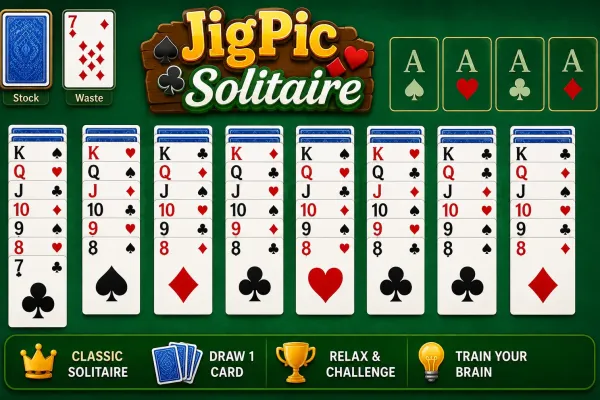
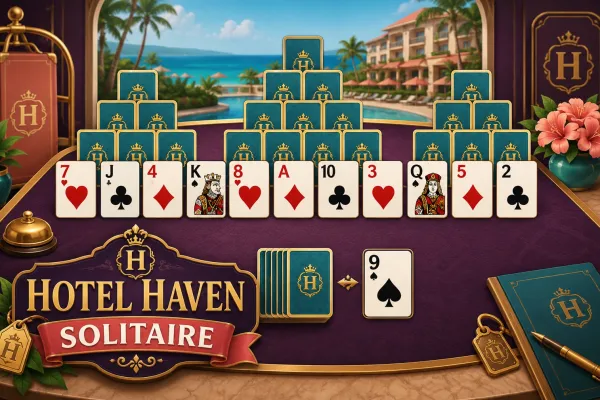
Solitaire is a single-player card game where you arrange a shuffled 52-card deck across seven tableau columns and four foundation piles. Move cards in descending order while alternating red and black suits, uncover hidden cards, and build each foundation from Ace through King.
The primary objective is to move all 52 cards into the four foundation piles, building each suit in ascending order from Ace through King.
Secondary goals are to uncover face-down tableau cards, organize valid card sequences, and use the stock and waste piles to find playable cards.
Solitaire is a single-player card game built around a standard 52-card deck. Each new game deals cards into seven tableau columns, with the top card of each column face up and the remaining cards face down. The remaining cards form the stock pile, while four empty foundation piles wait for cards to be built from Ace through King by suit.
On the tableau, cards are placed in descending rank while alternating between red and black suits. You can move a single card or an eligible face-up sequence between tableau columns, while Kings can start an empty column. Moving cards can expose hidden cards and create new opportunities.
Cards from the waste pile can also be moved to the tableau or foundations. The stock can be drawn one card at a time on Easy and Medium, while Hard draws three cards at a time. Easy and Medium provide hints, and Undo availability depends on the selected difficulty.
If you enjoy traditional card puzzles, you can explore our card games for similar browser-based gameplay. Players looking for other strategic challenges can also browse our strategy games. For more casual browser challenges, see our casual games.
How to Play
- Select Easy, Medium, or Hard from the difficulty screen.
- The game automatically deals a shuffled 52-card deck into seven tableau columns.
- Select a face-up card to highlight it, then select a valid tableau destination or foundation.
- On desktop, you can also drag and drop face-up cards onto tableau columns or foundation slots.
- Build tableau sequences downward using alternating red and black suits.
- Place cards into the four foundations in ascending order, starting with Ace and continuing through King within the same suit.
- Click the stock to reveal cards into the waste pile. Easy and Medium reveal one card; Hard reveals three.
- When the stock is exhausted, clicking it recycles the waste back into the stock.
- Use Hint on Easy or Medium when available to highlight a possible move.
- Use Undo when available to reverse recent actions. Easy has unlimited undo; Medium has five undos per game.
- Continue moving cards until all 52 cards have been placed into the foundations.
Winning & Losing Conditions
Winning Condition
You win when all 52 cards have been moved into the four foundation piles.
Losing Condition
There is no traditional game-over or explicit losing condition implemented. The game continues until the player wins or starts a new game/changes difficulty.
Features
- Three difficulty levels: Easy, Medium, and Hard
- Standard 52-card Solitaire deck
- Seven tableau columns
- Four foundation piles
- Stock and waste piles
- Face-up and face-down cards
- Valid descending, alternating-color tableau sequences
- Ace-to-King foundation progression by suit
- Hint system on Easy and Medium
- Unlimited undo on Easy
- Five undos on Medium
- No undo on Hard
- Draw-1 gameplay on Easy and Medium
- Draw-3 gameplay on Hard
- New Game button
- Level selection and level changing
- Play Again option after winning
- Drag-and-drop card movement
- Tap/click card selection and movement
- Responsive card layout for smaller screens
Tips & Strategies
- Prioritize hidden cards: Moving an exposed tableau sequence that reveals a face-down card can open more possibilities than making an immediately available foundation move.
- Use empty columns carefully: An empty tableau column can only receive a King, so avoid creating an empty space unless it gives you a useful King placement.
- Build alternating colors: Tableau cards must descend in rank and alternate red and black, so plan sequences around the cards that can be exposed next.
- Use the waste deliberately: In Easy and Medium, cards are drawn one at a time, so consider whether moving the visible waste card now will expose a more useful card later.
- Save Medium's five undos: Since Medium limits you to five undos, use them for meaningful reversals rather than minor exploratory moves.
- Plan more carefully on Hard: Hard draws three cards at once and provides neither hints nor undo, making the order of tableau and stock moves particularly important.