About JigPic Solitaire
JigPic Solitaire is a level-based Klondike solitaire game that combines traditional card stacking with picture-piece progression. Move cards between the tableau, waste, and four foundations while building each suit from Ace to King. Foundation progress reveals pieces of a themed picture, and completing the required picture progress finishes the level.
The primary objective is to complete the level by progressing the four foundations and revealing all required pieces of the level's picture. A level can also complete when all 52 cards have been placed into the foundations.
Each level has its own picture, puzzle grid, progress target, and move par. Completing levels unlocks subsequent levels and records a star rating and best score.
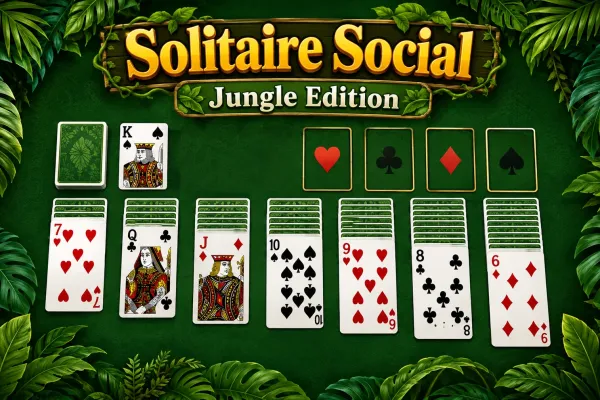
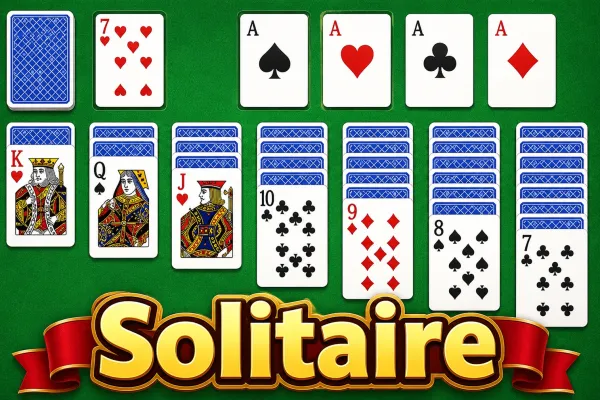
JigPic Solitaire combines classic Klondike solitaire with a picture-reveal progression system. Each level begins with a seven-column tableau, a stock, a waste pile, and four foundations. Your main task is to move cards according to standard Klondike rules: tableau sequences descend by rank while alternating red and black suits, empty tableau columns can only receive Kings, and foundations are built upward by suit from Ace to King.
Moving cards to the foundations is especially important because foundation progress reveals pieces of the level's themed picture. Completing a foundation provides additional picture progress, while newly revealed pieces also award score. Levels use different puzzle grids and progressively higher move expectations as difficulty increases.
You can drag cards with a mouse or finger, or select a movable card and tap its destination. The game also provides solitaire games for players looking for similar card-based challenges and puzzle games for other logic-focused browser games.
Hints can highlight legal moves but reduce your score, while Undo and Redo let you manage previous moves. For players interested in more level-based challenges, board games and strategy games provide related gameplay categories.
How to Play
- Start a level: Select an available level or continue an unfinished game. A new level deals a Klondike-style card layout and starts the timer.
- Move tableau cards: Build descending sequences using alternating red and black cards. Only a King can be placed into an empty tableau column.
- Reveal hidden cards: Moving cards away from a tableau column can expose its next face-down card. Revealed cards can then become available for play.
- Use the waste and stock: Draw a card from the stock to the waste pile. When the stock is empty, the waste can be recycled according to the game's dealing system.
- Build foundations: Move eligible cards into the four foundations, starting each foundation with an Ace and continuing upward through the same suit to King.
- Reveal the picture: Foundation placements increase picture progress. Completing a suit gives additional progress and can unlock more picture pieces.
- Manage your score: Efficient moves, foundation placements, revealed cards, picture pieces, and combos contribute to the score. Hints cost 100 points.
- Use assistance when needed: Use Hint to identify a legal move, Undo to reverse a move, or Redo to restore an undone move.
- Complete the level: Finish the required picture progress or place all 52 cards into the foundations.
- If no moves remain: The game displays a no-moves screen where you can use Hint, Undo, or restart the level.
Winning & Losing Conditions
Winning Condition
A level is completed when the required picture progress is fully revealed or all 52 cards have been placed into the four foundations.
Losing Condition
There is no traditional life-based game-over system. If the game detects that no playable move remains, it displays a no-moves screen and provides options to use a hint, undo, or restart the level.
Features
- Browser-based Klondike solitaire gameplay
- 100 levels
- 20 themed procedural pictures
- Seven tableau columns
- Four suit-based foundations
- Stock and waste piles
- Picture-piece progression
- Score tracking
- Move counter
- Elapsed-time counter
- Combo multiplier
- Star ratings
- Best-score tracking
- Level unlocking and progression
- Hint system with score penalty
- Undo and Redo
- Pause and restart options
- Keyboard shortcuts
- Mouse/pointer drag controls
- Tap-to-move controls
- Touch dragging
- Sound effects
- Background music
- Sound and music toggles
- Vibration setting
- Animation setting
- Hint setting
- Automatic browser progress saving
Tips & Strategies
- Prioritize moves that expose face-down tableau cards. Revealing another card increases your available options and can create new sequences.
- Use foundation moves strategically. Foundation placements directly advance the picture, and completing a suit gives an additional progress bonus.
- Avoid unnecessary hints when targeting three stars. Hints cost 100 points and affect the star-rating criteria.
- Build useful tableau sequences before moving cards automatically to foundations. A card that is currently useful for rearranging the tableau may be more valuable there than immediately placing it into a foundation.
- Use Undo when a move closes off useful options. Undo can restore the previous game state without requiring a full level restart.
- Keep an eye on the combo multiplier. Successful scoring moves advance the combo, increasing subsequent awarded points up to the game's configured multiplier limit.