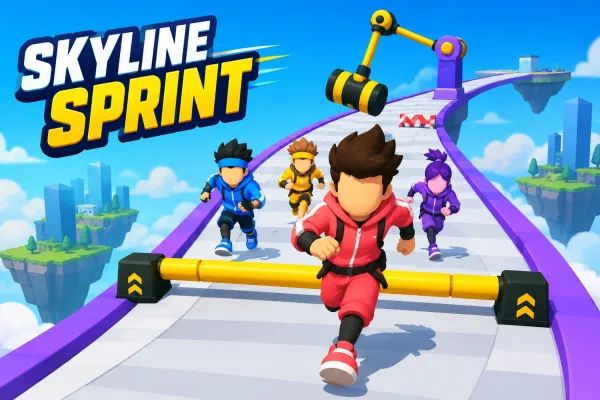
About Super Obby Racer
Super Obby Racer is an arcade racing game where you drive a supercar across floating obstacle courses in the sky. Steer around barriers, moving crates, and spinning obstacles, use ramps to clear gaps, pass checkpoints, and reach the checkered finish gate as quickly as possible.
The primary objective is to drive from the start of each floating obstacle course to its checkered FINISH gate without falling or crashing.
Secondary goals include:
- Passing every checkpoint so your respawn position advances.
- Completing levels quickly to improve your time.
- Earning a higher score through checkpoint progress and faster completion.
- Completing levels to unlock subsequent levels.
Super Obby Racer combines arcade car handling with floating obstacle-course racing. Each level places your supercar on a suspended road containing curves, hills, barriers, moving crates, ramps, gaps, spinning arms, and temporary boost pads. Your main task is to keep the car on the course, pass the yellow checkpoints, and reach the checkered finish gate.
The game contains 55 levels with progressively longer tracks and higher difficulty bands. Early levels use simpler obstacles, while later levels introduce more hazards and narrower roads. Checkpoints provide useful respawn positions, so falling from the track does not require you to restart the entire level.
Acceleration, braking, reversing, and steering can be handled with the keyboard, while touchscreen devices have dedicated on-screen driving controls. You can also pause the game, restart a level, or manually respawn when needed. Completing a level records your time and score and unlocks the next level.
Players looking for more racing games can explore other browser-based driving challenges, while fans of obstacle-focused gameplay can browse obstacle games. The game's arcade format also fits naturally alongside driving games and action games.
How to Play
- Start the game from the main menu with Play Now, or choose an unlocked level through Level Select.
- Accelerate using W or Up Arrow on desktop, or press the on-screen GAS button on touch devices.
- Steer with A/D or the left/right arrow keys. On touch devices, use the on-screen left and right buttons.
- Use S/Down Arrow or SPACE to slow the car, and S/Down Arrow also provides reverse movement.
- Follow the floating road and avoid barriers, crates, spinning arms, and gaps.
- Use ramps to jump across pits and gaps when they appear.
- Drive over boost pads to receive a temporary speed increase.
- Pass the yellow checkpoints. Each checkpoint updates the position used for respawning.
- If you crash or fall, use the automatic respawn or press R / the RESPAWN control.
- Reach the checkered FINISH gate to complete the level and record the result.
- After completion, the results screen shows your time, best time, and score. Completing a level unlocks the next level.
Winning & Losing Conditions
Winning Condition
A level is successfully completed when the car reaches that level's finish position and crosses the checkered FINISH gate.
Losing Condition
The game does not use a permanent lives-based game-over system. Crashing into obstacles or falling from the track triggers a respawn sequence, returning the car to the latest checkpoint rather than requiring a full level restart.
Features
- 55 levels
- Floating sky-based obstacle courses
- Arcade-style car driving
- Checkpoints with respawn positions
- Barriers
- Moving crates
- Gaps and pits
- Ramps and jumps
- Spinning-arm obstacles
- Temporary boost pads
- Increasing difficulty across level groups
- Completion time tracking
- Best-time records
- Score system
- Best-score persistence
- Level unlocking and completion tracking
- Pause menu
- Level restart
- Manual respawn
- Keyboard controls
- On-screen touch controls
- Fullscreen option
- Sound effects
- Background music
- Sound, music, and vibration settings
- Low, medium, and high quality settings
- Local browser progress saving
Tips & Strategies
- Slow down before tight sections. Steering is more responsive at higher speed, but approaching hazards too quickly leaves less time to correct your position.
- Line up with ramps before reaching them. Ramps are used to launch the car over gaps, so entering them from a suitable lane helps avoid landing outside the road.
- Watch spinning arms carefully. Their collision position changes continuously, so timing your approach can be safer than simply maintaining maximum speed.
- Use checkpoints as safety points. Passing a checkpoint updates your respawn location, reducing the distance you need to repeat after a fall.
- Use boost pads deliberately. A boost temporarily increases the car's speed, so entering one immediately before a difficult obstacle can make control more demanding.
- Balance speed against completion time. The score calculation rewards faster completion while also factoring in checkpoint progress, so finishing quickly without repeatedly crashing is useful for stronger results.